Case registry
CAS-PAT000002-000010
4 · Diagnosis
CAS-PAT000003-000011
1 · Intake
Filter and sort by stage. Cases waiting for diagnosis stand out from the rest.
Digital pathology workspace
BioImages keeps every case, slide scan and diagnosis on a single rail, so your lab always knows where a case stands and pathologists open the slide, not a file share.
Step through the same rail that follows a case from the front desk to the signed report. It advances on its own, or pick a stage.
Stage 1 of 5
Diagnosis, always in view
Diagnosis state carries one plum signature everywhere it appears. Spot it in the registry, the dashboard, the case page or the viewer, and jump straight to the slide.
Case registry
Filter and sort by stage. Cases waiting for diagnosis stand out from the rest.
Dashboard queue
Awaiting diagnosis
See the size of the queue the moment you sign in, and open the next case in one click.
Case page
Diagnosis · assigned, in progress
The stage rail keeps diagnosis lit on the case, with who holds it and what is next.
Slide viewer
Start a diagnosis
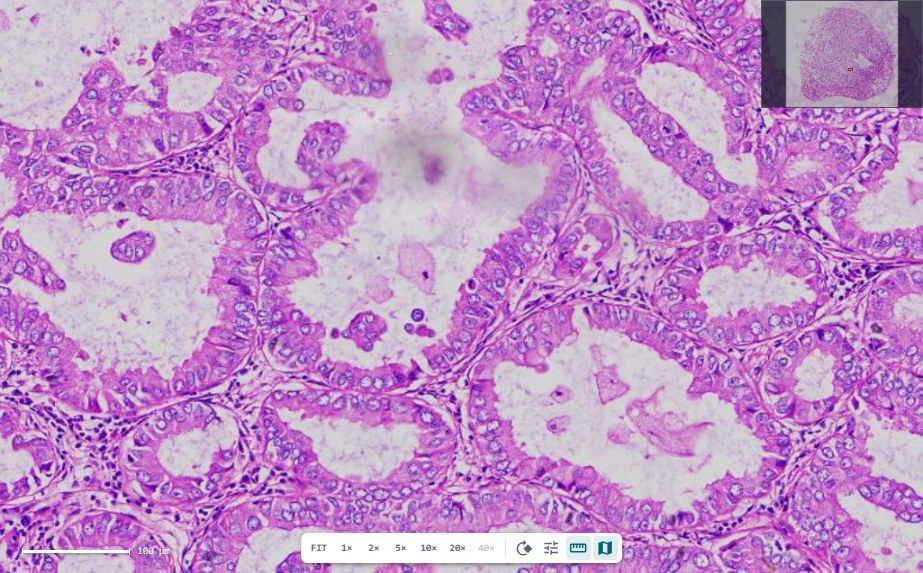
Open a draft from the slide itself. Annotate, then record your conclusion, without leaving the image.
Slide viewer
Pan and zoom full-resolution slides, measure, annotate regions and snapshot them straight into the report.
Report builder
Report templates are published per processing category. Findings, images and sign-off flow into every report.
Throughput, case mix and turnaround against your targets, without exporting a spreadsheet.
Hand a case to the right pathologist, see who holds it and what is waiting for review.
Work with partner scanning labs. Their slides arrive on your case with ownership clearly marked.
Organizations and roles
Clinical data belongs to the organization that owns it. Members see what their role allows, admins invite their own team, and platform staff never enter clinical records.
Organization admin
Invite members, manage seats and lab settings
Pathologist
Review slides, author findings, sign reports
Lab technician
Register cases, process samples, upload scans
Cases, patients and slides belong to one organization. No other organization can see them.
No self sign-up. Admins invite their team, with up to three admin seats per organization.
Fine-tune what each member can do on top of their role.
Membership and administrative actions are recorded for your organization.
No. Scan with the equipment you have and register the image file (.svs, .tif, .tiff, .ndpi), or receive slides from an external scanning lab.
Report templates are provisioned per processing category and published by the platform team, with versions kept readable. Findings and slide snapshots flow into each report, which is reviewed, signed and exported as a PDF. Ask us if you need a template change.
Only members of your organization, according to their role. Platform administrators manage accounts and settings but do not access clinical records.
Yes. External scans arrive on the case with their origin marked, so your team can tell in-house and partner slides apart and request a rescan if needed.
Ask us in the demo. We will share hosting, compliance and retention details for your jurisdiction.
Request a demo. We walk through your current case process, map it to the five stages and set up your organization and first admin.
Book a walkthrough and bring a real case process. We will map it to the five stages.